Goployer Documentation
Goployer is open-source deployment tool with AWS Autoscaling group. Goployer handles the whole cycle of deployment, and keep track of deployment histories. This enables you to focus on server settings with the userdata and goployer will deploy your application safely with manifest configuration you made.
Features
- Deployment management
- Deployment as Code - Goployer uses manifest files for deployment so that you can manage deployment with code
- Safe Deployment with versioning
- Blue/Green Deployment - Goployer uses blue/green deployment by default in order to ensure the safe deployment. Goployer will create new autoscaling group and attach it to the target group. After checking all the instances of autoscaling group are healthy, then delete the previous autoscaling group.
- Versioning - In the autoscaling group name, you can find the current version easily.
- Use most of autoscaling group feature
- Autoscaling Policy - You can create autoscaling policy with AWS CloudWatch.
- Spot Instance - You can make launch template with spot configuration.
- Mixed Instance Policy - You can use on-demand and spot instance together with MixedInstancePolicy supported by autoscaling group. Autoscaling group will control spot request on behalf of you.
- Metrics Enabled
- History Management - You can make history records to AWS DynamoDB and keep track of deployment duration.
Demo
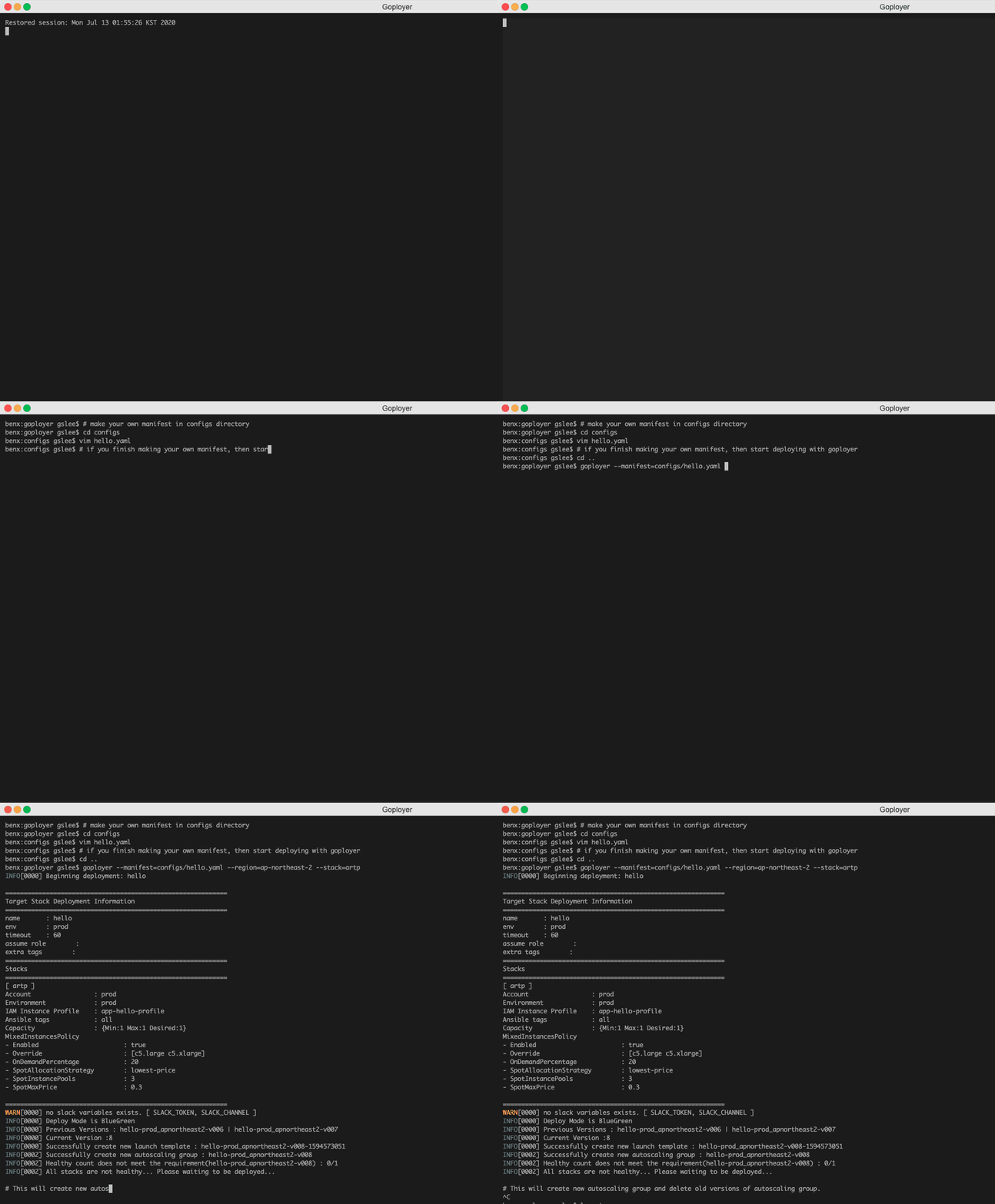
How goployer works
- Here are steps that goployer executes for a deployment.
- Generate new version for current deployment.
If other autoscaling groups of sample application already existed, for examplehello-v001, then next version will behello-v002 - Create a new launch template.
- Create autoscaling group with launch template from the previous step. A newly created autoscaling group will be automatically attached to the target groups you specified in manifest.
- Check all instances of the autoscaling group are healty. Until all of them pass healthchecking, it won’t go to the next step.
- (optional) If you add
autoscalingin manifest, goployer creates autoscaling policies and put these to the autoscaling group. If you usealarmswith autoscaling, then goployer will also create a cloudwatch alarm for autoscaling policy. - After step 5 is done, then goployer tries to delete previous versions of the same application. Launch templates of previous autoscaling groups are also going to be deleted.
- If metric feature is enabled, then goployer create a history record of previous autoscaling group.